Earn money on internet by video editing – First $1,000 (solo starter)
A concrete starter plan to earn your first $1,000 editing videos online using affordable tools and outreach. Includes a worked calculation, fees, first-week actions and a cost table.

Start selling 1-hour social clips, short edits and simple cuts so you can reach $1,000 revenue within your first two months by pricing small packages and doing targeted outreach. A clear starter price is $75 per 30–60 second edited clip (assumption used below); at $75 you need 14 orders to reach $1,000 revenue. You will use an affordable editor like Wondershare Filmora perpetual plan for solo creators with export limits to deliver files; Filmora's perpetual license is a one-time cost shown on the official pricing page and fits low-upfront budget projects. Below you get a comparison table, a checklist of outreach and delivery steps, a worked calculation with fees and hours, plus a stopping rule.
In short – Key takeaways:
Tool choice – Filmora perpetual reduces monthly overhead versus subscription, cost shown on the vendor pricing page; pick it if you edit under 10 projects monthly.
Offer to sell 30–60s social clips at $75 with 2 free revisions; list delivery time 72 hours and extra revision at $20.
Client sources – use Fiverr or Upwork for first clients; expect platform fees of 5–20% (see sources).
First-week actions – publish one 3-gig package on a marketplace, message 20 local businesses, and email 10 creators with portfolio links.
Stop or pivot rule – if you get zero leads after 30 outreach attempts and three package updates, lower lead cost by switching niche or platform.
What should you sell and who will pay?
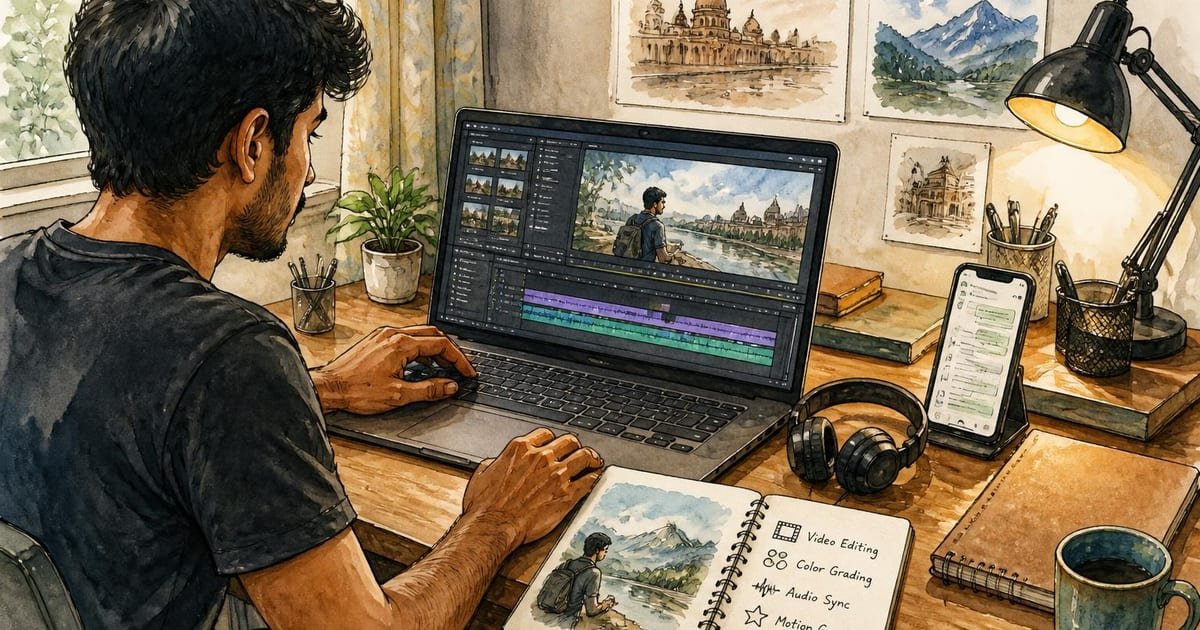
Sell short-form edits: 30–60 second social clips, trimmed webinar highlights, YouTube shorts reels, and simple cuts with basic color and captions. Small businesses, content creators and event photographers pay for fast turnarounds; a local cafe owner needs social clips for weekly promos, an independent podcaster needs trimmed episode highlights. Your minimum deliverable: one edited clip, simple color correction, and subtitles or captions. Specify final file types (MP4 H.264 1080p) and two rounds of revisions. Use Wondershare Filmora perpetual plan for solo creators with export limits to cover editing, titles and captions without subscription churn.
Comparison table – quick tool and market options
Option | Who it suits | Key number | Main drawback |
|---|---|---|---|
Wondershare Filmora perpetual plan (basic) | Solo starters who edit <10 projects/month | One-time cost shown on vendor page: see official pricing | Fewer advanced color/grading controls than pro NLEs |
Adobe Premiere Pro subscription | Experienced editors selling higher-end edits | $20.99/month single app (Adobe site) | Ongoing monthly cost can eat early profit |
DaVinci Resolve (free to start) | Editors who need advanced grading for free | Free; Studio one-time if needed $295 | Learning curve and heavier system requirements |
Fiverr gig packages | Sellers who want inbound orders quickly | Platform fee up to 20% of sale | High competition; fees reduce margin |
The Filmora row links to Wondershare Filmora perpetual plan for solo creators with export limits and lists its tradeoff: lower cost, fewer pro-grade tools. An honest alternative is DaVinci Resolve free version for heavier color work.

How to price, calculate costs and expected hours (worked calculation)
Assumptions stated: currency USD; period two months; price per 30–60s clip $75; target revenue $1,000; platform fee 20% (Fiverr example); local outreach cost zero; Filmora perpetual cost $69.99 one-time (official pricing page); delivery time per order 2 paid hours plus 1 unpaid hour outreach/revisions.
Calculation – lower-demand scenario (conservative)
Orders needed to hit $1,000 revenue: 14 orders at $75 = $1,050 revenue.
Platform fees: 20% of revenue = $210.
Software cost: $69.99 one-time.
Gross profit before tax = $1,050 − $210 − $69.99 = $770.01.
Paid editing hours: 14 orders × 2 hours = 28 hours.
Unpaid hours (outreach + revisions): 14 orders × 1 hour = 14 hours.
Total hours = 42 hours.
Effective hourly earnings = $770.01 / 42 ≈ $18.33/hour.
Target scenario (higher ticket, mixed services)
Mix 8 clips at $75 and 4 longer edits at $150 = $1,200 revenue.
Platform fees 15% average = $180.
Software $69.99.
Profit = $1,200 − $180 − $69.99 = $950.01.
Hours: clips 8×2=16, long edits 4×4=16 paid; unpaid 12 hours; total 44 hours.
Effective hourly ≈ $21.59/hour.
Notes on uncertainty: assumed fee rates vary by platform (Upwork sliding fee structure differs); filmora pricing may change; delivery hours depend on your workflow. Adjust price or reduce revisions to improve hourly.
First-week checklist – concrete outreach and delivery steps
Prepare one example clip and an editable project file export.
Set three service packages: Quick Clip $75 (72-hr), Rush $120 (24-hr), Long Edit $150 (3–5 days).
Create one Fiverr gig and one Upwork profile entry; use the same short description and three thumbnails.
Send personalised emails to 10 local businesses with a one-paragraph offer and a sample clip link.
Message 10 creators on Instagram or LinkedIn offering a one-time discounted first clip for a testimonial.
Track replies and set a maximum of 30 outreach attempts before revising price or niche.
Delivery checklist and common traps
Deliver MP4 H.264 1080p and an SRT caption file.
Include a clear revision policy: two revisions free, $20 per extra revision.
Backup projects on an external drive and export a master with 2x bitrate for archives.
Trap to avoid: underestimating time for client feedback; budget one unpaid hour per order for communication.
Limitation of Wondershare Filmora: simpler interface limits advanced compositing; use DaVinci Resolve free for heavier node-based grading.
FAQ
Q: How fast can I expect my first paid order? A: You may get the first paid order within the first two weeks if you publish a marketplace gig and send 30 targeted outreach messages; response times vary by platform and niche.
Q: Do I need a portfolio before listing services? A: Yes, you need at least one clear sample clip and a brief service sheet showing deliverables and turnaround; use public video samples or self-made edits of royalty-free clips.
Q: What are platform fees and where to check them? A: Platform fees range 5–20 percent. Check Fiverr's fee page and Upwork's freelancer fee page in sources for exact structures and thresholds.
Q: Is Wondershare Filmora enough for clients who want simple social edits? A: Yes; Filmora handles trimming, titles, basic color, captions and noise reduction that most social clips need. For high-end grading or VFX, choose DaVinci Resolve.
Q: When should I raise prices or change offers? A: Decision rule – if you sell at least five orders in a month and maintain average turnaround, increase prices by 15 percent. If zero paid clients after 30 outreach attempts and three package revisions, pivot niche or platform.
Decision rule – Stop scaling the same offer when effective hourly earnings fall below your minimum acceptable rate after platform fees and software costs; then either raise price, reduce unpaid time, or switch tools.
Sources
- https://www.fiverr.com/support/articles/360010451158-Fees-and-Getting-Paid




Start the conversation.