Coding for Kids: Which Programming Languages to Start With, and at What Age
An age-by-age explanation for parents, from block-based tools for five-year-olds to Python and JavaScript for teenagers, with what each stage teaches, the signs a child is ready to move on, and where structured classes help.
Some links in this article lead to partner services. If you make a purchase there, the site may receive a commission; this does not affect the price or our assessment.
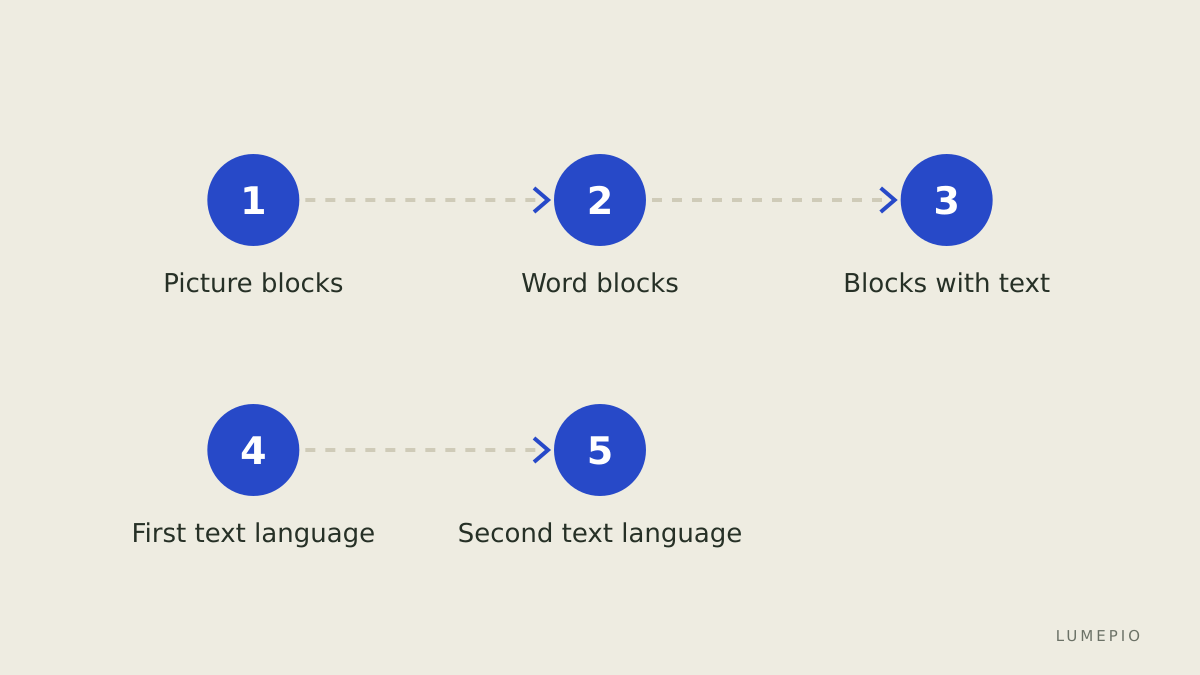
Parents asking which programming language a child should learn are usually asking a different question underneath: at what point does a game on a tablet become a skill, and how do we get there without turning it into homework. The answer is a ladder rather than a language. Children move from arranging pictures, to snapping together blocks that read like sentences, to typing real code, and each rung teaches something the next one needs. This guide walks the ladder by age and explains what to look for before moving up.
Why blocks come before text
Programming has two hard parts: thinking in steps and conditions, and getting the syntax exactly right. Block-based languages remove the second so a child can practise the first. A block that says "repeat 10 times" cannot be misspelled, and blocks only snap together in ways that make sense, so a six-year-old can build a working loop before they can reliably type one. This is not a watered-down version of coding; the logic (sequence, loops, conditions, variables, events) is identical to what a professional uses. Text languages come later because they demand typing fluency, attention to punctuation and tolerance for cryptic error messages, all of which arrive with age.
Ages 5 to 7: picture-based blocks
At this age children are still learning to read, so the tools use icons rather than words. ScratchJr, made by the team behind Scratch, is described by its makers as intended for five- to seven-year-olds. Children drag picture blocks to make characters move, speak and react to taps. The concepts are sequence ("first this, then that"), repetition and simple events.
What to expect: short sessions, a lot of experimenting, and stories rather than programs. What not to expect: any need for a keyboard, or for the word "programming" at all. The Scratch team's own guidance is that the choice between ScratchJr and Scratch depends on reading level and keyboard comfort more than on birthday, which is a good rule for every rung of the ladder.
Ages 8 to 11: word-based blocks
Scratch is the standard here. Its makers describe it as designed for ages 8 to 16, and it is free, browser-based and backed by a large community where children share projects and remix each other's work. Blocks now carry words ("when green flag clicked", "if touching edge, then bounce"), which introduces variables, conditions, coordinates, broadcasting between sprites, and the habit of decomposing a game into pieces.
This is the age when a child can stay with a project for weeks, and where the difference between tinkering and learning starts to show. Signs that Scratch is doing its job:
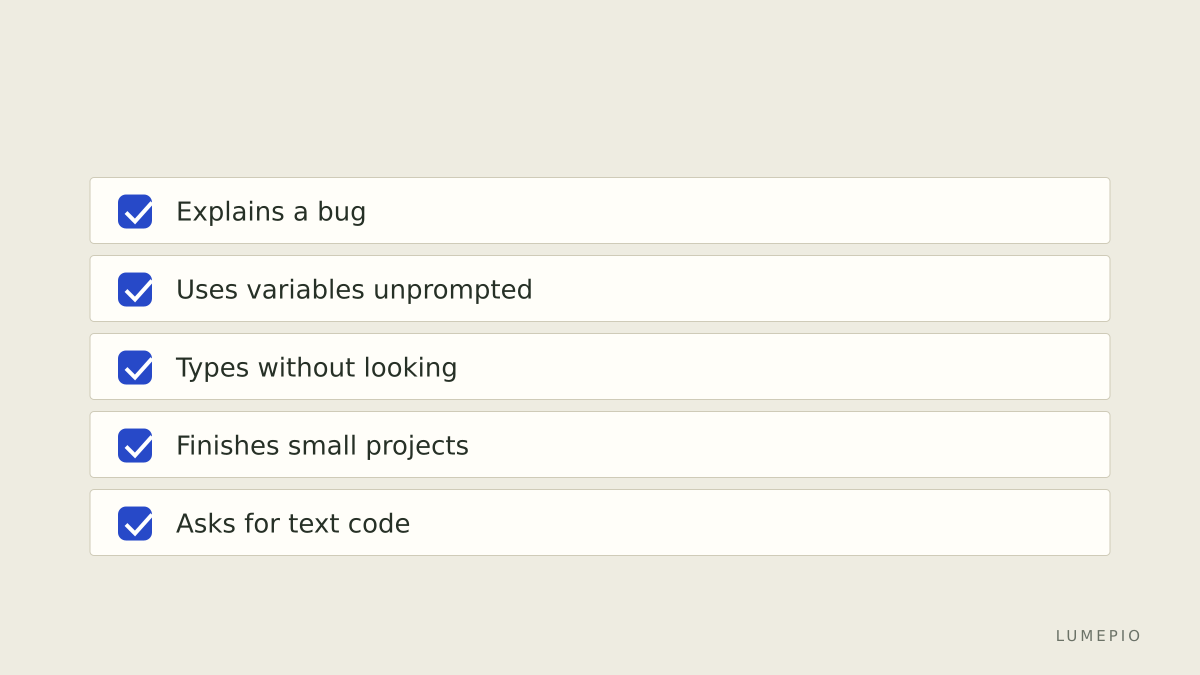
The child can explain why a bug happens, not just that it does.
Projects have more than one sprite talking to each other.
They begin to use variables for score, lives or timers without being prompted.
Other block environments cover the same ground with different themes: Blockly-based tutorials, block coding for Minecraft, and drag-and-drop robotics kits. The environment matters less than the fact that the child is building things they chose to build.
Ages 11 to 14: the move to text
Somewhere between 11 and 13, most children hit the ceiling of blocks: the programs they imagine are awkward to build by dragging, and they have seen "real" code and want it. This is the moment for a first text language, and the two sensible candidates are Python and JavaScript.
Consideration | Python | JavaScript |
|---|---|---|
Readability for a beginner | Very high; indentation and plain words, described by python.org as easy for beginners | Moderate; braces, semicolons and more punctuation |
What a child can build first | Text games, simple graphics with the turtle module, small data projects | Web pages that react, browser games, interactive art |
Immediate visual payoff | Lower unless a graphics library is used | High; results appear in a browser tab |
Path afterward | Data, science, automation, back-end web | Front-end web, game engines, apps |
Setup | Install once; many browser editors exist | Nothing beyond a browser and a text editor |
Python is the more common first text language for a reason: a child who has written "repeat 10" in Scratch recognises for i in range(10): almost immediately, and the error messages, while still cryptic, are shorter. JavaScript wins when the child's motivation is the web itself, because the feedback loop of saving a file and refreshing a page is very close to the Scratch experience.
Some tools soften the jump by showing blocks and the equivalent text side by side, or by letting children switch views. Those bridges are useful for a few months, and then they should be abandoned.
Games as a motivation, with a caution
Many children arrive at text coding through games: Roblox uses Lua, Minecraft mods use Java or Python-based tools, and game engines such as Unity use C#. Following that interest is reasonable, but two things are worth saying plainly. First, game platforms are also products with their own commercial incentives, so a "coding" session can quietly become a playing session. Second, Lua and C# are fine languages, but they are less transferable as a first text language than Python or JavaScript. A workable compromise is to let the game be the project and Python or JavaScript be the skill, with the game-specific language coming later if the interest holds.
Where structured classes fit
Most of this ladder can be climbed at home with free tools. Structured classes earn their place in three situations: when a child has stalled at blocks and needs a guide to the first text language; when a parent cannot answer the "why doesn't this work" questions any more; and when a child wants peers who are also building things. Live online schools such as Kodland run mentor-led group classes for roughly ages 8 to 17 across Scratch, Python, JavaScript, Roblox, Minecraft, Unity and web development, and offer a free trial lesson in which a mentor recommends a path based on the child's interests.
The honest limitations: Kodland's pricing is not published on its main site, so you will learn the cost only after the trial conversation; online group classes need a quiet room, a decent connection and a child who can sit through a live session; and the school is offered in a limited set of countries, so check availability for where you live on the site. Alternatives without a link: Code.org's free courses for schools and homes, volunteer-run clubs such as CoderDojo, and the Scratch community itself, which for many children is enough until the text stage.
A practical sequence for parents
Ages 5 to 7: ScratchJr on a tablet, ten to twenty minutes at a time, stories and animations.
Ages 8 to 10: Scratch in a browser; one project a month the child chooses; share it with family before sharing online.
Ages 10 to 12: keep Scratch, add a side-by-side block-to-text tool if the child is curious; watch for the ceiling signs above.
Ages 12 to 14: start Python (or JavaScript if the web is the motivation); a first text project should replicate something they already built in blocks.
Any age: if progress stalls for a term, a trial lesson with a structured school is a cheap way to find out whether a mentor unblocks it.
Conclusion
The right first programming language for a child is the one that matches their reading, typing and patience today, and the right second one is the one their own projects demand. Picture blocks around five to seven, word blocks from about eight, and Python or JavaScript once blocks feel restrictive, usually around eleven to thirteen, is a sequence supported by the people who build these tools. Free resources cover most of the journey; when a child stalls or wants company, a trial lesson at Kodland or a local club can supply the mentor, as long as you check the price and availability first and keep the child's own project at the centre.