Proton Mail vs Gmail: What You Gain and Give Up When You Switch
A plain-language explanation of how Proton Mail's end-to-end and zero-access encryption differ from Gmail's model, what stays unencrypted either way, and the practical costs of moving: storage, integrations, search and the migration itself.

Some links in this article lead to partner services. If you make a purchase there, the site may receive a commission; this does not affect the price or our assessment.
Gmail and Proton Mail both deliver email reliably, both have apps that look fine, and both offer a free tier. The difference is in who can read what is stored, and that difference ripples into storage, search, integrations and how much effort a switch takes. This article explains the encryption models in ordinary language first, because most of the "gains" and "give-ups" people list turn out to be consequences of that one design decision.
Two encryption models in plain terms
Think of your mailbox as a filing cabinet in someone else's building.
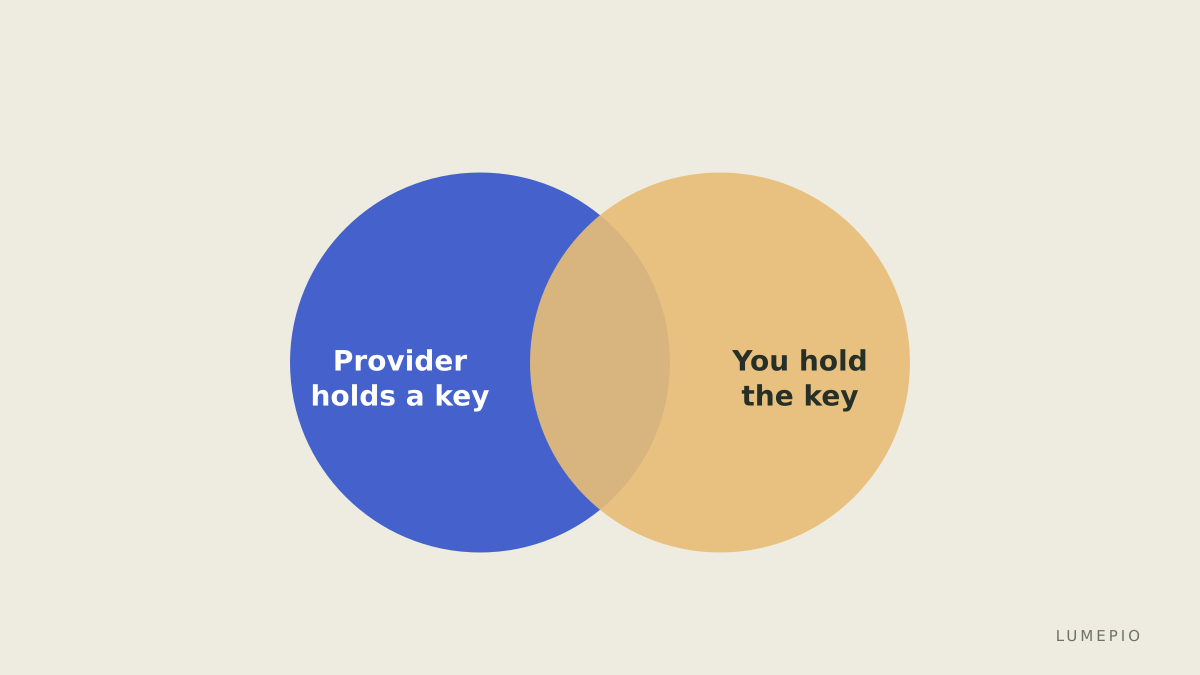
Gmail keeps the cabinet locked against outsiders, and Google holds a key. Messages are encrypted on the way to and from your device and encrypted where they sit on disk, but Google's systems can open them, which is what lets Gmail do things like search your entire history instantly, filter spam with full context, and surface flight details on a card. On the advertising question, Google's help page states plainly, at the time of checking, that it does not scan or read your Gmail messages to show you ads; ads are personalised from your other activity while signed in, and you can turn personalisation off.
Proton Mail hands you the only key. Two mechanisms do the work:
End-to-end encryption applies between Proton addresses: the message is encrypted on the sender's device and decrypted on the recipient's, so nothing in between, including Proton, can read it. To reach someone on Gmail or Outlook with the same protection, you send a password-protected message they open in a browser.
Zero-access encryption covers everything else. A normal email arriving from a Gmail user travels with standard transport encryption, then is encrypted on arrival with your public key. Once stored, Proton states it cannot read it either.
The company adds that its apps are open source and independently audited, and that it operates under Swiss law.
What stays visible in both
Encryption is not a blanket. Proton's own documentation is clear that subject lines are not end-to-end encrypted, because they sit in the part of the message the PGP standard leaves in the clear for interoperability, and that sender and recipient addresses are encrypted at rest but not end to end. In practice this means that with either provider, who wrote to whom, when, and under what subject is metadata the provider handles in readable form; the difference is confined to the body and attachments. Anyone switching for privacy reasons should know that going in.
What you gain
Message bodies the provider cannot read. The core benefit, whether you send to other Proton users (end to end) or receive from anyone (zero access).
A different business model. Proton is funded by subscriptions rather than advertising, so there is no incentive to build a profile from your inbox even where it technically could.
Aliases and domains on paid plans. At the time of checking, Mail Plus includes 15 GB of storage, ten additional addresses and one custom domain; the Unlimited bundle raises that to 500 GB, fifteen addresses and three domains, and adds the company's VPN and drive products.
A migration tool. Easy Switch imports from Gmail and other providers, with ongoing sync for Gmail so mail keeps arriving while you change over.
What you give up
Free storage. Gmail's free tier gives 15 GB shared across Gmail, Drive and Photos; Proton's free plan offers 1 GB and one address. If your archive is large, the switch means paying from day one.
Server-side convenience. Because Proton's servers cannot read message bodies, features that depend on reading them (instant full-text search across a decade of mail, smart categorisation, calendar extraction from confirmations) work differently or not at all. Proton's apps build a search index on your device rather than on the server, which is more private and slower to set up.
Standard mail-client access. Gmail speaks IMAP to any client. Proton requires its own apps, or a desktop program called Proton Mail Bridge that decrypts locally so a conventional client can connect; check which plans include it.
The Google ecosystem. Sign-in with Google, Drive attachments, Meet links in invitations, and third-party apps that expect a Gmail connection all need alternatives or workarounds.
Encryption with outsiders is manual. Most of your correspondents are not on Proton. Messages you send to them leave your device encrypted to Proton, then travel to their provider under ordinary transport encryption, unless you use the password-protected option, which adds friction for them.
Question | Gmail | Proton Mail |
|---|---|---|
Can the provider read message bodies at rest | Yes, by design | No, zero-access encryption |
End-to-end encryption by default | No | Yes, between Proton users |
Subject lines encrypted end to end | No | No |
Free storage | 15 GB shared with Drive and Photos | 1 GB, one address |
Custom domain | Paid workspace plans | Mail Plus and above |
Any IMAP client | Yes | Via Bridge desktop app |
Full-text search | Server-side, instant | Client-side index |
Funding | Advertising and paid plans | Subscriptions |
The practical costs of switching
A switch has three phases, and each has a cost that has nothing to do with encryption.
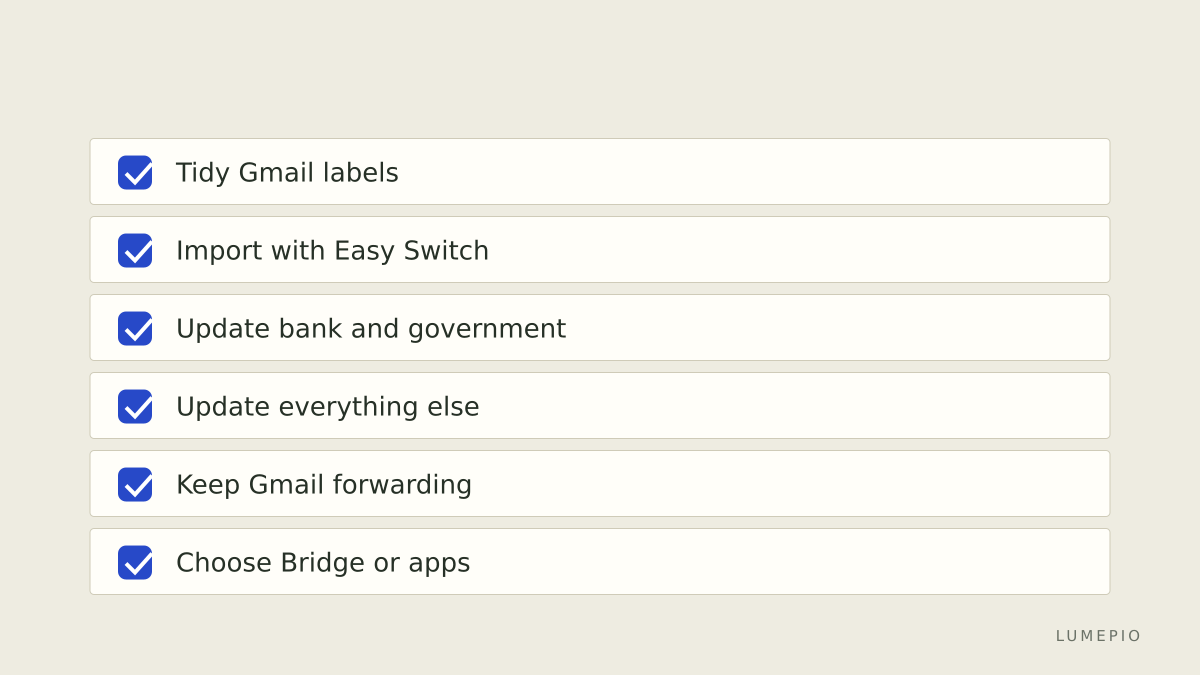
Migration. Easy Switch moves mail, and for Gmail it keeps syncing afterwards. Note the structural limit: Proton supports three levels of folder hierarchy, so deeply nested Gmail labels flatten. Budget an evening to tidy labels before importing rather than after.
Rewiring. Every account that uses your Gmail address for sign-in, recovery or notifications needs updating; the sensible order is bank, government, employer, then everything else. Keep Gmail alive and forwarding for at least a year, because something you forgot will send a password reset there.
Habits. Search will feel different, mobile widgets change, and colleagues who share Google Docs will still share them to your Google account. Most people end up running both for a while: Proton for personal correspondence, Gmail as the address tied to Google services. That hybrid is a legitimate end state, not a failure.
If the model above appeals and the give-ups look manageable, the free plan is enough to run the experiment for a few weeks before committing to a paid Proton Mail plan for the storage, aliases and a custom domain. Availability and pricing vary by country; confirm on the service's site.
Alternatives and honest limits
Proton is not the only end-to-end encrypted provider. Tuta takes a similar zero-access approach with its own encryption scheme; Fastmail offers a paid, advertising-free service with standard IMAP and a conventional storage model. Each draws the line between privacy and convenience in a different place.
Proton's own limits deserve repeating: metadata and subject lines are handled in readable form, most of your mail to outsiders is protected only in transit, the free tier is small, and the extra features that make it comfortable (Bridge, aliases, storage) are on paid plans.
Conclusion
Switching from Gmail to Proton Mail trades server-side convenience for a provider that cannot read your message bodies, and that trade is real in both directions. You gain zero-access storage, end-to-end encryption with other Proton users, subscription funding and a workable migration path; you give up free storage, effortless search, native IMAP and frictionless Google integration, and you keep the same exposed metadata either way. If those terms suit you, run the free tier alongside Gmail first, then move to Proton Mail on a paid plan once your archive and your aliases need the room. If they do not, Gmail with two-factor authentication and personalised ads switched off remains a defensible choice, and knowing exactly why is worth more than switching for a feeling.