What Is a Travel eSIM and How Does It Work? A Plain-Language Guide
A travel eSIM is a downloadable mobile plan that sits next to your home SIM. This guide explains profiles, QR activation, dual SIM behaviour and validity rules so you can judge whether your phone and your trip are a fit.
If you have never used mobile data abroad without a roaming bill, the word eSIM can sound like a product you have to buy rather than a feature your phone may already have. This guide explains what a travel eSIM actually is, what happens on your phone when you install one, and which details decide whether it will work for your trip. It does not rank providers; it gives you the mechanism, so that any comparison you read afterwards makes sense.
The SIM you know, and the one built into the phone
A traditional SIM is a small plastic card that holds a secure chip. That chip stores a subscriber identity, and the network uses it to recognise your phone and bill the right account. When you swap the card, you swap the identity.
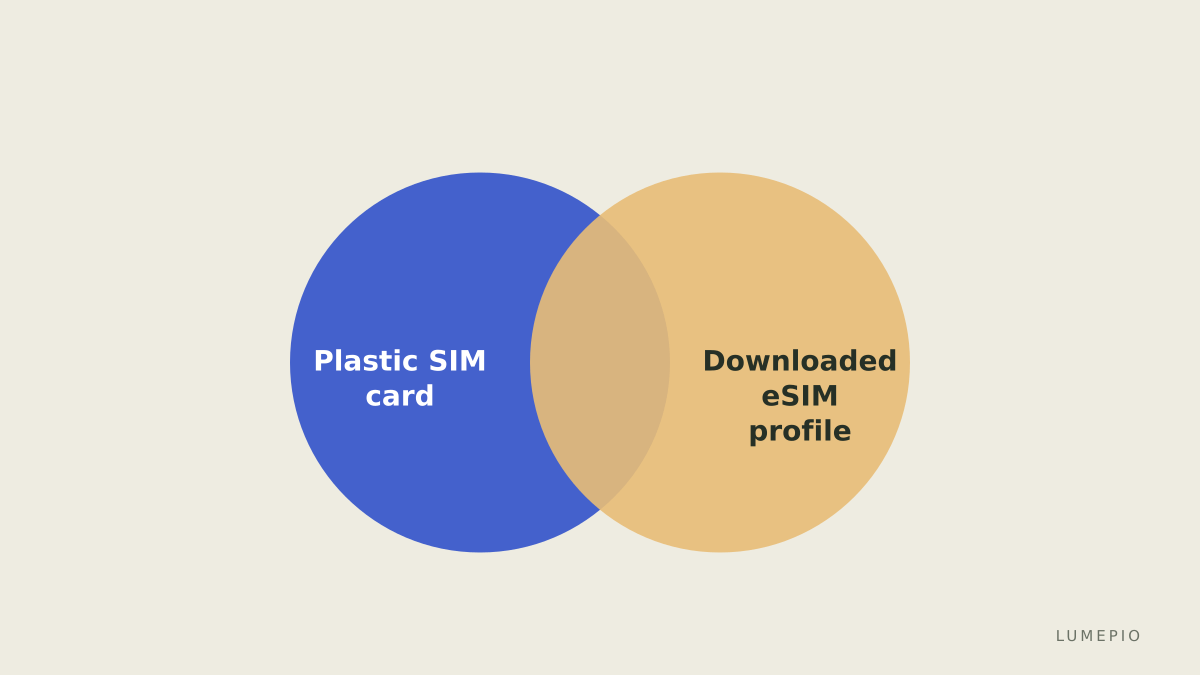
An eSIM (embedded SIM) is the same kind of secure chip, but soldered inside the phone. Apple describes it as an industry-standard digital SIM built into the device that removes the need for a physical card. Because the chip cannot be swapped, the identity is downloaded onto it instead. That downloaded identity is called a profile, and one chip can hold several profiles at once. Apple states that an iPhone can store eight or more eSIMs, while Google notes that recent Pixel phones can run two eSIM profiles at the same time if the carriers allow it.
A travel eSIM, then, is simply a profile sold by a company that has agreements with local networks in the countries you are visiting. You download it, switch it on for data, and your phone connects to a partner network as if it were a local customer. Your home SIM stays where it is.
What a travel eSIM is not
It helps to be clear about the limits before the benefits.
It is not a phone number in most cases. Travel eSIMs are usually data-only. Global YO, for example, states that its eSIM is data-only and includes no phone number. Calls and texts go through apps such as WhatsApp or FaceTime, or through your home SIM if you keep it active.
It is not a permanent line. Plans are sold with a fixed validity window and, in most products, a fixed amount of data.
It is not automatically cheaper than your home carrier's roaming. For short trips inside a region where your carrier already includes roaming, a travel eSIM can be redundant. The comparison is worth doing for each trip.
How activation works, step by step
The mechanics are similar across providers even though the apps look different.
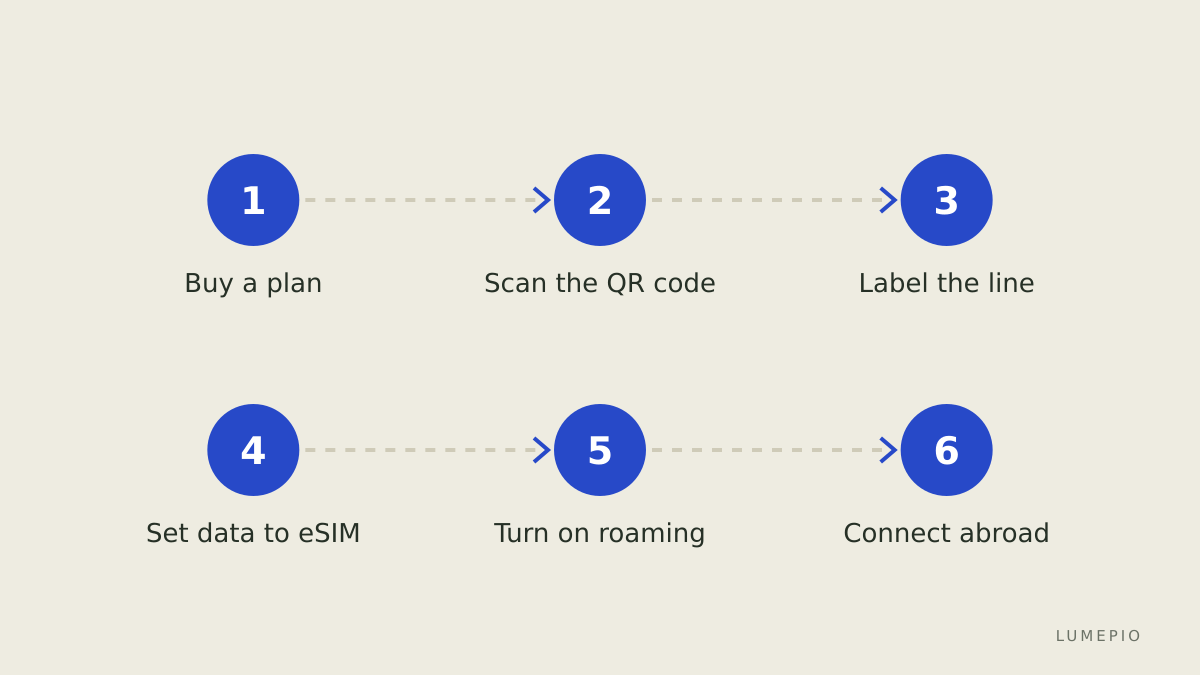
You buy a plan online or in the provider's app. The provider issues an eSIM profile linked to your purchase.
You install the profile. The most common method is scanning a QR code; Apple also lists installation through a carrier app, a link sent by the carrier, or by typing the details manually. On Android, Pixel phones use Settings, Network and internet, SIMs, Add SIM, then Set up an eSIM.
The phone downloads the profile over Wi-Fi or your existing mobile data. This is why providers recommend installing while you still have a reliable connection, typically at home or at the departure airport.
You label the new line and choose what it should handle. On a dual-SIM phone you can assign mobile data to the travel eSIM while calls and texts stay on your home number.
You switch on data roaming for the travel line at your destination and turn off data roaming for the home SIM, so background traffic does not bill your home carrier.
The phone registers on the partner network and the plan's validity clock starts, according to the provider's rules.
Dual SIM in practice
The reason travel eSIMs work so smoothly is that the phone runs two lines side by side. Google's Pixel help page explains that you can choose which SIM to use for which action, such as messaging or calling, and set a default for data. Apple's guidance covers the same arrangement for iPhone.
The practical pattern most travelers use:
Function | Home SIM | Travel eSIM |
|---|---|---|
Mobile data | Off, or roaming disabled | On, set as default |
Voice calls | On, to receive calls and bank codes | Usually not available |
SMS | On, for verification messages | Usually not available |
Wi-Fi calling | Depends on home carrier | Not applicable |
The trap to avoid is leaving data roaming enabled on the home SIM. If the travel line drops for a moment, the phone may quietly move traffic to the home line and generate exactly the roaming charge you tried to prevent. Turning off data for the home SIM, rather than only lowering its priority, is the safer setting.
Validity, data and the fine print that matters
Two rules decide whether a plan fits your trip.
When the clock starts. Airalo's help pages describe two models: for most packages the validity period begins when the eSIM first connects to a supported network in the coverage area, while for some packages it begins as soon as the eSIM is installed, even if you are still at home. Holafly explains that its plan duration counts from activation at the destination rather than from calendar dates. Each provider publishes the rule per package, so read it before you install anything.
How data is counted. Fixed plans give you a total amount to use across the whole validity window, not a daily share. Airalo states explicitly that data is for the entire validity period and is not distributed equally per day. Plans marketed as unlimited usually carry a fair-use policy: Holafly notes that some network operators may temporarily reduce speed after a certain amount of high-speed usage, and that the hotspot allowance on such plans is limited even where data is not. Unlimited therefore means no fixed cap, not unrestricted speed.
Other details worth checking on the product page:
Whether the plan allows tethering, and with what limit.
Whether you can top up when data runs out or must buy a new plan.
Which local networks the provider uses in your destination.
Whether a plan covers only one country or a whole region, since crossing a border on a single-country plan means no service.
Does your phone support it
This is the question that trips up first-time users, because the answer depends on the model and the market where the phone was sold. Apple requires an iPhone XS or later, and the carrier must support eSIM. Google lists Pixel 7 and later for dual eSIM. Samsung, Motorola, OnePlus, Xiaomi, Sony and other brands support eSIM on many but not all models.
The complication is regional. Global YO's compatibility page warns that eSIM support may vary by region and market, and lists exceptions such as iPhones sold in mainland China and certain Samsung models sold in particular countries. Two quick checks resolve most doubts:
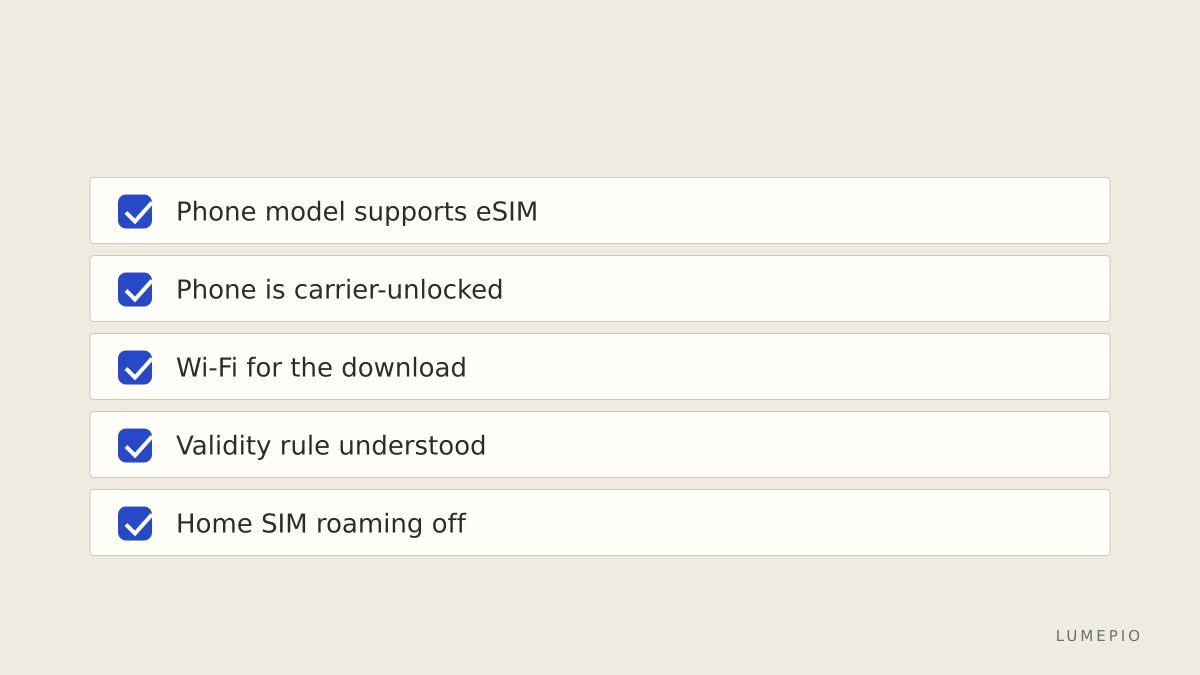
Open your phone's mobile network settings and look for an option to add an eSIM or a digital SIM. If it is there, the hardware supports it.
Confirm the phone is not locked to a carrier. A carrier-locked phone may refuse profiles from other networks even though the hardware is capable. Your home carrier can tell you the lock status.
If either check fails, a physical local SIM bought at the destination or a portable Wi-Fi router remains a perfectly good alternative. The eSIM is a convenience, not a requirement.
Where this leaves a first-time traveler
A travel eSIM is a downloadable network identity that lives alongside your home SIM. The technology is standard, the installation takes a few minutes with a QR code, and the phone's dual-SIM settings let you use the travel line for data while keeping your number reachable. What varies between providers is not the mechanism but the commercial terms: when validity starts, how data is counted, whether tethering is allowed, and which networks you land on.
Once those terms are clear, comparing providers becomes a matter of matching a plan to your trip length and data habits rather than decoding jargon. Check your phone's compatibility and lock status first, read the validity rule of any plan before installing it, and verify availability and payment options on the provider's own site, since they differ by country.
Sources
- https://support.apple.com/en-us/HT212780
- https://support.google.com/pixelphone/answer/9449293
- https://www.globalyo.com/esim-compatibility/
- https://www.globalyo.com/faqs
- https://www.airalo.com/help/getting-started-with-airalo/E8DFWD88SHUX/when-can-i-install-my-esim/EQOCBMXDPSB2
- https://esim.holafly.com/faq/about-esims/are-there-esims-with-unlimited-data/